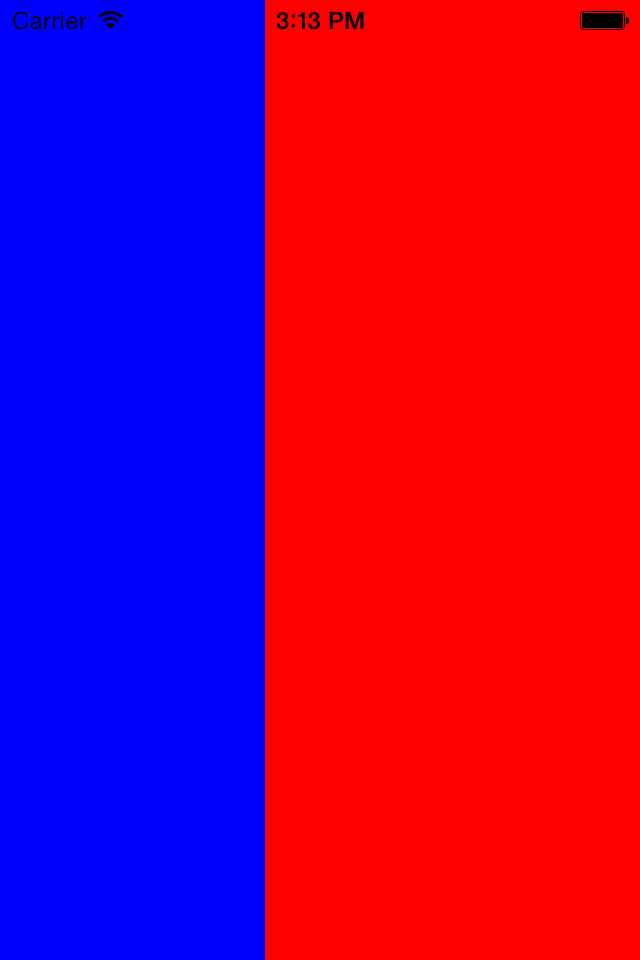
Swipe view by gesture
This is a sample of 2-view swipe.
Overview
Prepare 3 viewcontroller.
First is root(main) view controller.
This has 2 viewcontroller(left, center)
It manage 2 view action and view size.
You can set left and center viewcontroller you want to add.
You can swipe both viewcontroller.
Sample
Let’s go!
SeparatorViewController.h
@interface SeparatorViewController : UIViewController
@property (nonatomic, strong)UIViewController *leftViewController;
@property (nonatomic, strong)UIViewController *centerViewController;
@property (nonatomic, assign) int width;
@end
SeparatorViewController.m
#import "SeparatorViewController.h"
@interface SeparatorViewController ()
@end
@implementation SeparatorViewController
- (id)initWithNibName:(NSString *)nibNameOrNil bundle:(NSBundle *)nibBundleOrNil
{
self = [super initWithNibName:nibNameOrNil bundle:nibBundleOrNil];
if (self) {
// Custom initialization
}
return self;
}
- (void)viewDidLoad
{
[super viewDidLoad];
// Erorr Handling
if (self.leftViewController == nil) return;
if (self.centerViewController == nil) return;
if (self.width == 0 ) return;
[self deafultPoistion];
// Arrange Left View Left
UIPanGestureRecognizer *panLeftGesture = [[UIPanGestureRecognizer alloc]
initWithTarget:self action:@selector(handlePanLeft:)];
[self.leftViewController.view addGestureRecognizer:panLeftGesture];
// Arrange Center View Controller
UIPanGestureRecognizer *panRightGesture = [[UIPanGestureRecognizer alloc]
initWithTarget:self action:@selector(handlePanCenter:)];
[self.centerViewController.view addGestureRecognizer:panRightGesture];
[self.view addSubview:self.leftViewController.view];
[self.view addSubview:self.centerViewController.view];
}
#pragma mark - Default
-(void)deafultPoistion {
if (self.width == 0) return;
float left_width = self.view.bounds.size.width * self.width / 100;
float center_width = self.view.bounds.size.width * (100 - self.width) / 100;
[self setViewPosition:left_width center_width:center_width];
}
-(void)setViewPosition:(float)left_width center_width:(float)center_width {
self.leftViewController.view.frame = CGRectMake(self.view.bounds.origin.x,
self.view.bounds.origin.y,
left_width,
self.view.bounds.size.height);
self.centerViewController.view.frame = CGRectMake(self.view.bounds.origin.x + left_width,
self.view.bounds.origin.y,
center_width,
self.view.bounds.size.height);
}
#pragma mark - Event
-(void)handlePanLeft:(UIPanGestureRecognizer *)sender {
UIPanGestureRecognizer* pan = (UIPanGestureRecognizer*) sender;
CGPoint location = [pan translationInView:self.view];
//CGFloat velocityX = [pan velocityInView:self.view].x;
// Calculte position
float current_left = self.leftViewController.view.bounds.size.width;
if ( current_left + location.x > 0 && current_left + location.x < self.view.bounds.size.width ) {
current_left = current_left + location.x;
}
float current_center = self.view.bounds.size.width - current_left;
// Set position
[self setViewPosition:current_left center_width:current_center];
[sender setTranslation:CGPointZero inView:self.view];
}
-(void)handlePanCenter:(UIPanGestureRecognizer *)sender {
UIPanGestureRecognizer* pan = (UIPanGestureRecognizer*) sender;
CGPoint location = [pan translationInView:self.view];
// Calculate position
float current_center = self.centerViewController.view.bounds.size.width;
if ( current_center - location.x > 0 && current_center - location.x < self.view.bounds.size.width ) {
current_center = current_center - location.x;
}
float current_left = self.view.bounds.size.width - current_center;
[self setViewPosition:current_left center_width:current_center];
[sender setTranslation:CGPointZero inView:self.view];
}
@end
[/cpp]
<h4>Test Code</h4>
[cpp]
- (BOOL)application:(UIApplication *)application didFinishLaunchingWithOptions:(NSDictionary *)launchOptions
{
self.window = [[UIWindow alloc] initWithFrame:[[UIScreen mainScreen] bounds]];
SeparatorViewController *controller = [[SeparatorViewController alloc] init];
UIViewController *left = [[UIViewController alloc] init];
[left.view setBackgroundColor:[UIColor blueColor]];
UIViewController *center = [[UIViewController alloc] init];
[center.view setBackgroundColor:[UIColor redColor]];
controller.width = 30; // percentage
controller.leftViewController = left;
controller.centerViewController = center;
self.window.rootViewController = controller;
[self.window makeKeyAndVisible];
return YES;
}
Result
You can swipe both blue and red view you like.